Vonage is a serious communications platform. Its Messages API handles SMS, voice, and WhatsApp at global scale, and since the Ericsson acquisition it has leaned even harder into the enterprise market. That is great if you are a telecom or a bank with a procurement department.
But if you are a developer, a startup founder, or an indie hacker, the Vonage experience often looks like this: create an account, hit a wall of "Contact Sales" pages for the pricing you actually need, sit through a sales call, negotiate a custom contract, and then untangle a two-part billing model where you pay Meta's per-message fee plus a Vonage platform fee on top.
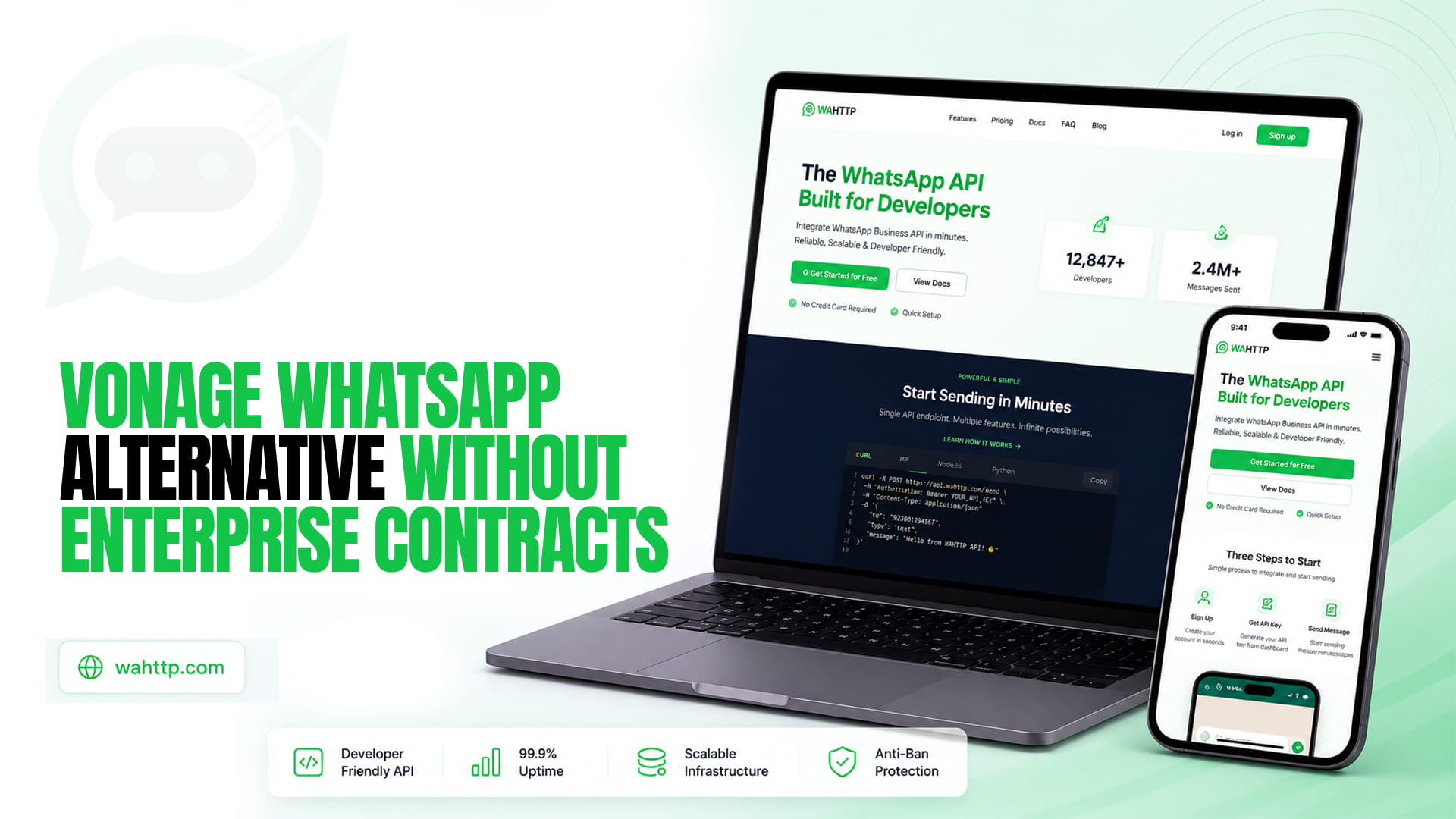
There is a simpler path. This guide breaks down why so many builders search for a Vonage WhatsApp alternative without enterprise contracts, what to look for in a replacement, and how Wahttp gives you everything you need through clean REST endpoints — no sales calls required.
Why Developers Look for a Vonage WhatsApp Alternative
Search interest around Vonage alternatives keeps climbing, and the reasons are remarkably consistent:
1. The enterprise sales motion. Vonage's self-serve tier exists, but meaningful WhatsApp volume, custom rates, and dedicated support route you through sales. For a solo developer or a small team that wants to ship this afternoon, that friction is a dealbreaker.
2. Dual-layer pricing confusion. WhatsApp messaging on Vonage carries two charges: Meta's per-message fee (which varies by country and template category — marketing, utility, authentication) plus Vonage's own platform fee, starting around $0.00015 per message. Predicting your bill requires a spreadsheet and patience. Our WhatsApp API pricing 2026 guide breaks down how per-message billing actually works across providers.
3. Legacy complexity. Vonage grew out of Nexmo, and parts of the platform still feel like it — multiple API versions, sprawling documentation, and concepts carried over from the telecom world. If all you want is "send a WhatsApp message via HTTP," it is overkill.
4. Slow iteration. Template approvals, number onboarding, and account reviews add days to a process that should take minutes. When you are validating an idea, days matter.
None of this makes Vonage a bad product. It makes it the wrong product for builders who want to move fast without signing anything.
What to Look for in a Vonage WhatsApp Alternative
Before you switch, run any candidate through this checklist — it is the same criteria we use when comparing the market in our best WhatsApp API providers compared roundup:
- No contract, no sales call. Self-serve signup, transparent pricing, start in minutes.
- A genuinely simple API. Clean REST endpoints you can call with curl, not a 200-page integration guide.
- Send and receive. Webhooks for inbound messages, not just one-way blasts.
- No vendor lock-in. Your number, your data, and the freedom to leave.
- Honest pricing. One clear model you can forecast without a finance degree.
- Production-ready reliability. Uptime and delivery rates that hold up when you scale.
If a provider fails the first item on that list, the rest hardly matters — you are back in enterprise territory.
Meet Wahttp: The WhatsApp API Built for Developers
Wahttp is the WhatsApp API built for developers. Send and receive WhatsApp messages with a simple, powerful HTTP API. No complex SDKs. No vendor lock-in. Just clean REST endpoints.
That positioning is deliberate. Where Vonage gives you a communications platform with everything including the kitchen sink, Wahttp gives you exactly what most projects need: send a message, receive a message, get a webhook when something happens. You can integrate it with a single HTTP client in whatever language you already use — Python, Node.js, PHP, Go, or plain curl.
There is no SDK to wrestle with, no enterprise contract to sign, and no "contact sales" gate between you and production. You sign up, grab your credentials, and send your first message the same day.
Vonage vs. Wahttp: Head-to-Head
| Vonage Messages API | Wahttp | |
| Onboarding | Self-serve start, but volume/custom pricing via sales | Fully self-serve, no sales call |
| Contracts | Custom enterprise contracts common at scale | No enterprise contracts |
| API style | Multi-channel platform API, Nexmo legacy surface | Simple, powerful HTTP API with clean REST endpoints |
| SDKs | Multiple SDKs to learn and maintain | No complex SDKs — plain HTTP |
| Pricing model | Meta per-message fee + Vonage platform fee | Transparent, developer-friendly pricing |
| Vendor lock-in | Deep platform integration encourages lock-in | No vendor lock-in by design |
| Best for | Enterprises with procurement teams | Developers, startups, and teams that ship fast |
If you are also weighing other CPaaS giants, our Twilio WhatsApp alternative guide covers a very similar trade-off — and reaches the same conclusion for builder-stage teams.
Switching From Vonage to Wahttp in an Afternoon
Migration sounds scary until you realize how little there is to migrate. Most Vonage WhatsApp integrations boil down to three things:
Step 1: Map your endpoints. List every place your code calls Vonage's Messages API — typically a "send WhatsApp template" call and a "send WhatsApp text" call. There are usually fewer than you think.
Step 2: Swap in Wahttp's REST endpoints. Replace each Vonage call with the equivalent Wahttp endpoint. Because Wahttp is plain HTTP with JSON payloads, this is usually a near-mechanical translation: same message body, simpler authentication, no SDK imports.
Step 3: Re-point your webhooks. If you receive inbound messages or delivery receipts, update your webhook URL configuration to Wahttp's event format. Test with your own number first, then flip production traffic.
Step 4: Keep Vonage as a fallback (optional). Some teams run both providers for a week, routing a small percentage of traffic through Wahttp before cutting over fully. With no contract tying you down, there is no penalty for running in parallel.
Most developers finish the whole migration in a few hours — less time than a single enterprise sales call would have taken.
Understanding Your Options: Official API vs. Session-Based
One thing worth knowing before you choose: not all WhatsApp APIs work the same way. Vonage resells access through Meta's official Business Platform, which means template approvals, per-message Meta fees, and business verification overhead.
Session-based APIs take a different approach, connecting through a WhatsApp session instead of the official Cloud API. Each model has trade-offs around setup speed, feature depth, and compliance — we unpack them in detail in WhatsApp Cloud API vs. session-based APIs. If your priority is shipping without enterprise overhead, it is worth understanding both before you commit.
And if your end goal is simply to move off the official-API complexity entirely, our WhatsApp Business API alternative guide walks through what that migration looks like in practice.
Who Should Make the Switch?
A Vonage WhatsApp alternative without enterprise contracts is the right call if you recognize yourself here:
- Startup founders validating a WhatsApp feature who cannot wait for procurement.
- Agencies managing WhatsApp integrations for multiple clients who need per-project simplicity, not a master services agreement.
- Indie hackers and solo developers who want an API bill they can predict and an integration they can finish over the weekend.
- Product teams adding WhatsApp notifications, OTPs, or support chat to an existing app without involving legal.
Who should stay on Vonage? If you already have an enterprise contract, negotiated volume discounts, and a dedicated account team — and you are happy with that relationship — there is no urgent reason to move. This guide is for everyone else.
Common Questions
Is there a Vonage WhatsApp alternative that doesn't require a contract?
Yes. Wahttp is built for exactly this: a developer-first WhatsApp API with self-serve signup, clean REST endpoints, and no enterprise contracts or sales calls. You can start sending and receiving messages without negotiating anything.
How does Wahttp pricing compare to Vonage's WhatsApp pricing?
Vonage charges two layers — Meta's per-message fee plus its own platform fee per message — which makes bills hard to predict. Wahttp is designed around transparent, developer-friendly pricing with no hidden platform surcharges stacked on top.
Do I need Meta business verification to use Wahttp?
No lengthy verification gauntlet. Wahttp's session-based approach lets you connect a WhatsApp number and start building immediately, without waiting on Meta business verification or template approval queues.
Can I migrate my existing WhatsApp number from Vonage?
In most cases, yes. Your WhatsApp number is portable — you can disconnect it from Vonage's integration and connect it to Wahttp. Plan a short overlap window and test inbound webhooks before routing all traffic over.
Is Wahttp reliable enough for production workloads?
Wahttp is built for production use: real-time webhooks for inbound messages and delivery events, clean REST semantics that are easy to monitor and retry, and no SDK magic hiding failures from you. Start with a pilot, watch your delivery rates, and scale up with confidence.
The Bottom Line
Vonage earned its place in the enterprise communications stack. But "enterprise" is doing a lot of heavy lifting in that sentence — it means sales calls, custom contracts, and pricing models that need a decoder ring.
If you would rather spend your afternoon shipping than negotiating, Wahttp is the Vonage WhatsApp alternative that respects your time: the WhatsApp API built for developers, with a simple, powerful HTTP API for sending and receiving messages. No complex SDKs. No vendor lock-in. Just clean REST endpoints — and no enterprise contract in sight.